
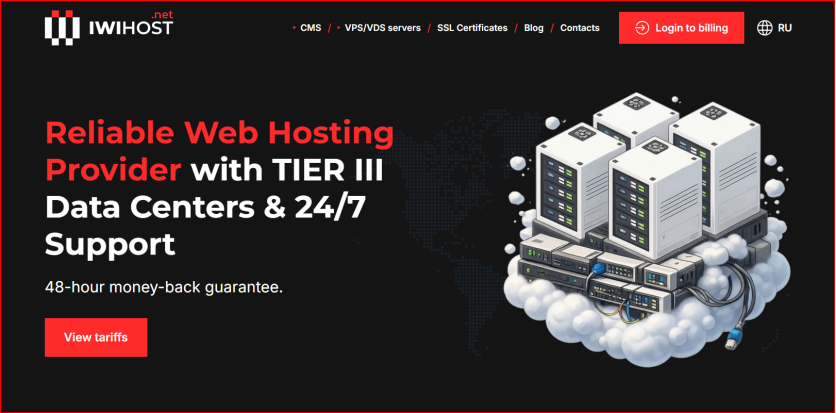
Provider link: IWIHOST official English website. Pricing and specifications in this review are a provider-published snapshot; confirm the live checkout before ordering.
IWIHOST website screenshot used as visual context for this review.
Additional context: HostAndProxy IWIHOST review.
The experiment: start small, define the upgrade triggers
A hosting review is more useful when it answers how a server changes as the workload grows. IWIHOST publishes a broad VPS/VDS range built around KVM virtualization, NVMe storage, ECC memory and multiple geographic locations. Instead of treating every plan as a separate product, I reviewed the lineup as a capacity ladder: can the $4.99 Core plan be a sensible starting point, and what signals tell a buyer to move to Shield, Stronghold, Fortress or Titan?
This is not a synthetic benchmark report. I did not run an independent long-duration CPU, disk or network test in this article. The experiment is architectural: map realistic workloads to the published resources, identify bottlenecks in advance, and define upgrade triggers before the server becomes overloaded. That approach is especially relevant for WordPress, small APIs, automation, self-hosted tools and development environments where requirements can grow gradually.
Stage 1: Core at $4.99 – what fits in 1 GB RAM?
Core publishes 1 vCPU, 1 GB RAM, 10 GB NVMe and a 500 Mbit/s port. That is enough for a lightweight Linux server, a small static or low-traffic site, a VPN endpoint, a monitoring agent, a tiny API, or a development sandbox. It is not a comfortable default for a heavy control panel, a large database and multiple memory-hungry services running together.
The key constraint is memory. On a 1 GB server, the operating system, web server, PHP or application runtime, database and background jobs all compete for the same small pool. I would keep the stack lean, enable a modest swap file for emergency protection rather than as a substitute for RAM, and monitor memory pressure from the first day. If swap is used constantly or the kernel begins killing processes, that is an upgrade trigger, not a tuning challenge.
The published plan ladder
The table below shows the pricing snapshot used for this review. It illustrates how quickly the resource profile changes after the entry tiers. Shield doubles CPU and RAM while increasing NVMe capacity. Stronghold jumps to 6 vCPU and 12 GB RAM, making it a different class of workload. Fortress and Titan move further into multi-service, database-heavy or business application territory.
The cheapest plan is therefore not automatically the best value. The best plan is the one that leaves enough headroom for peaks, backups, package updates and temporary jobs. Running a production server at 95% memory utilization because a smaller plan is a few dollars cheaper is false economy.
| Plan | Monthly price | vCPU | RAM | NVMe | Port |
| Core | $4.99 | 1 | 1 GB | 10 GB | 500 Mbit/s |
| Shield | $6.99 | 2 | 2 GB | 30 GB | 500 Mbit/s |
| Stronghold | $21.99 | 6 | 12 GB | 90 GB | 500 Mbit/s |
| Fortress | $29.99 | 8 | 16 GB | 150 GB | 500 Mbit/s |
| Titan | $44.99 | 12 | 24 GB | 200 GB | 500 Mbit/s |
Stage 2: Shield as the practical small-production baseline
Shield publishes 2 vCPU, 2 GB RAM and 30 GB NVMe. For many small Linux workloads this is a more forgiving starting point. A compact WordPress installation with sensible caching, a small database-backed API, a lightweight Docker stack or an automation service has more room to breathe than on 1 GB. There is still a need for resource discipline, but basic background services no longer consume such a large percentage of total RAM.
I would consider Shield when the workload must stay online continuously and the cost of a memory-related crash matters more than saving two dollars per month. It is also a better test bed for teams that plan to add monitoring, backups, a firewall agent and scheduled tasks.
Stage 3: when Stronghold changes the architecture
Stronghold publishes 6 vCPU, 12 GB RAM and 90 GB NVMe. At this point the question is no longer whether the server can run a basic application; the question becomes how the application should be organized. Twelve gigabytes of RAM makes separate application processes, a larger database cache, multiple Docker containers, queues and observability services much more realistic.
This is also where vertical scaling can mask architectural problems. More CPU and RAM can delay the need to optimize a slow query or fix an unbounded worker queue. I would still monitor request latency, database size, disk growth, CPU steal, memory pressure and backup duration. Upgrade because the workload is healthy but growing, not because an inefficient application consumes everything it can see.
KVM, NVMe and ECC: what these infrastructure labels mean
KVM provides hardware-assisted virtualization and a clearer isolation model than container-style VPS platforms. For buyers, that normally means the guest OS behaves more like an independent virtual machine with its own kernel. NVMe storage is relevant to databases, package operations and application workloads because it is designed for low-latency flash access. ECC memory is an infrastructure quality signal because it is intended to detect and correct certain memory errors at the hardware level.
Those labels are useful, but they do not replace measurement. A buyer should still check real disk latency, CPU performance and network behavior for the chosen location. Hardware class, node load, routing and the workload itself all affect real results.
Locations, network and latency planning
IWIHOST advertises a broad international location footprint. Location choice should follow the audience, not the provider map. A server close to the majority of users generally reduces network round trips. For a European customer base, choose a suitable European location; for North American users, select a North American option; for Asia-focused workloads, test the relevant regional routes.
If the application serves a global audience, do not expect one VPS location to be equally fast everywhere. Use a CDN for cacheable content, keep the origin near the dominant audience or database dependencies, and test latency from representative user regions. Location diversity is valuable because it gives the buyer choices; it does not eliminate network physics.
Backups, security and the production checklist
A VPS becomes production-ready when the operational controls are ready, not when the website first loads. My baseline checklist is: non-root administration where practical, SSH keys, firewall rules, automatic security updates where appropriate, application secrets outside the code repository, off-server backups, restore testing, log retention and resource monitoring. If the provider offers DDoS protection or security features, treat them as one layer rather than a replacement for application hardening.
Backups deserve special emphasis. A snapshot or local backup on the same virtual disk does not protect against every failure. Important data should have an independent copy. Test restores periodically; a backup that has never been restored is only a hypothesis.
Upgrade triggers: when to move up the ladder
I would move from Core to Shield when 1 GB RAM becomes a constant constraint or the workload must tolerate background services without memory pressure. I would move into Stronghold-class resources when the application needs a larger database cache, multiple services, queues or several containers. Fortress and Titan make sense when CPU concurrency, memory, storage or business criticality justify the higher monthly cost.
The cleanest upgrade process is driven by metrics: sustained CPU saturation, memory pressure, storage growth, database cache misses, backup windows or response-time degradation. Upgrading because the dashboard looks busy is less reliable than upgrading because the workload has crossed a documented threshold.
Who IWIHOST fits best
IWIHOST is attractive for developers, website owners and small businesses that want KVM VPS resources, NVMe storage and a broad location choice at relatively accessible entry pricing. It can support a path from a tiny utility server to a larger multi-service environment without forcing the buyer to change provider at the first sign of growth.
The main caution is that published specifications are only the starting point. Buyers should test the exact location, support responsiveness, route quality and workload performance before moving a critical production service. A budget entry price is valuable when the infrastructure and operations fit the application, not simply because the first invoice is small.
FAQ
Is the $4.99 Core plan enough for WordPress? It can run a small, carefully configured site, but 1 GB RAM leaves limited headroom. Shield is a more forgiving baseline for many always-on production workloads.
Does KVM guarantee performance? No. KVM describes the virtualization model. Real performance also depends on host hardware, node load, routing, storage behavior and the guest workload.
Which location should I choose? Choose the location closest to the main audience or important backend dependencies, then test real latency before migration.
Final verdict
The IWIHOST plan ladder is easy to understand as a growth path: Core for lean utility workloads, Shield for small production, Stronghold for heavier application stacks, and larger tiers when concurrency and memory demand justify them. The published KVM/NVMe/ECC positioning and broad location choice make the service worth evaluating. My production experiment conclusion is to start with enough headroom, instrument the server from day one, and let real resource trends determine the next upgrade.
Final check before buying: review the current IWIHOST product information and validate the exact location, term and configuration you plan to use.
