
Provider link: ProxyLine official English website. Pricing and specifications in this review are a provider-published snapshot; confirm the live checkout before ordering.
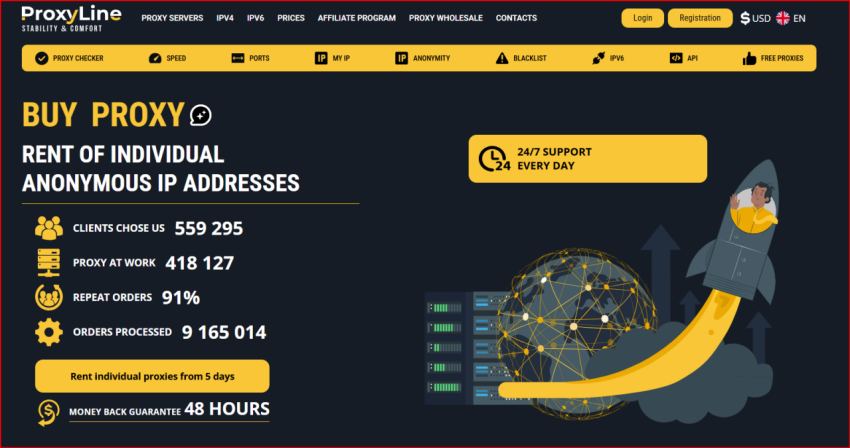
ProxyLine website screenshot used as visual context for this review.
Before purchase, compare the live ProxyLine plans and order terms with the workload described below.
Review premise: assume the purchase can go wrong
Most proxy reviews begin by listing features and then deciding whether the product sounds attractive. I used the opposite method for this ProxyLine review: I started by asking what could make a purchase fail. A low price is irrelevant if the IP type is wrong, the destination does not accept IPv6, a shared address has poor reputation, or the team scales before documenting which proxy belongs to which workflow. That risk-first approach is useful because ProxyLine sells several categories that can look similar to a new buyer but behave very differently in practice.
The review therefore treats the catalogue as a set of operational choices: shared IPv4 for cost control, individual IPv4 for exclusivity, IPv6 for compatible destinations, and MTProto or other specialized options for narrow use cases. I also looked at the supporting tools typically associated with the service, including HTTP/SOCKS5 connectivity, proxy checking, location selection and API-oriented workflows. I did not run a controlled latency laboratory or make a long-term uptime claim. Where the provider publishes a price, policy or capability, I treat it as provider information that should still be confirmed in the live checkout before a large order.
Risk 1: choosing the cheapest proxy instead of the right proxy
The first failure mode is straightforward: selecting by headline price. Shared IPv4 is attractive because the monthly cost per address can be very low, but shared access changes the reputation and control profile. Another customer may use the same exit address for an unrelated workload. That does not automatically make shared proxies bad; it simply means they are a different product. For public data collection, localization checks and low-risk browsing, shared IPv4 can be rational. For persistent sessions, account workflows, ad verification or automation where a stable identity matters, I would normally start with individual IPv4 and test before expanding.
IPv6 creates a different trade-off. It is inexpensive and technically modern, but destination support is not universal. A buyer can save money and still lose time if the websites, APIs or tools in the workflow assume IPv4. My red-team rule is to test the exact target list before buying a large IPv6 block. MTProto is even more specialized: it should be selected because the application requires it, not because it happens to appear in the same catalogue.
Pricing snapshot and what the numbers do not show
The table below is a practical pricing snapshot based on the plan structure used in the previous provider review set. Exact country, quantity and rental term can change the final price. The important point is not whether one address costs a few cents more or less; it is whether the selected tier matches the cost of failure. A dedicated address that prevents repeated session problems may be cheaper than a shared address that needs constant replacement. Conversely, paying for individual IPv4 on a simple public-data task can be unnecessary.
I would also verify the refund or replacement conditions before paying. Proxy providers often distinguish between technical failure, blocked destinations, user configuration mistakes and normal reputation variance. A 48-hour money-back or replacement message is useful only when you understand what qualifies. Save the checkout terms and test immediately after purchase rather than waiting until the end of the refund window.
| Plan / type | Pricing snapshot | Rental term | Best fit |
| IPv4 Shared | about $0.58-$0.99 per IP/month | 5-360 days | Budget tasks where exclusivity is not required |
| Individual IPv4 | about $1.22-$1.77 per IP/month | 5-360 days | Accounts, automation and workflows that benefit from a dedicated IP |
| IPv6 | about $0.41-$0.51 per IP/month | 5-360 days | IPv6-compatible destinations and cost-sensitive testing |
| MTProto / specialized | varies by location and term | varies | Compatible Telegram workflows |
Risk 2: protocol and application mismatch
ProxyLine is commonly discussed in terms of HTTP(S) and SOCKS5 compatibility. That flexibility is useful, but teams still need a protocol policy. Browsers and simple HTTP clients may be fine with HTTP proxies, while applications that need broader TCP handling often prefer SOCKS5. The operational mistake is allowing every operator to configure a different method without recording it. When a task fails, nobody knows whether the root cause is the destination, the proxy, DNS behavior, authentication or the application itself.
For a serious deployment I would standardize endpoint format, authentication method, timeout values, retry rules and logging. Use a small test script or browser profile to confirm the exit IP and country before starting the real task. If the team uses anti-detect browsers or automation frameworks, keep the proxy assignment tied to the profile rather than copying credentials between unrelated profiles. That reduces accidental session overlap and makes replacement easier.
Risk 3: location inventory is not the same as location quality
A long location list is valuable, but a country label is not the whole story. The city, ASN, hosting classification and current reputation of an IP can influence what a target site shows. This matters in local SEO checks, e-commerce localization, ad verification and regional price research. If a workflow needs a specific city or network type, confirm that the inventory actually supports that requirement instead of assuming every country contains equivalent options.
My buying method is to create a location acceptance test: open the target site, verify the apparent country, check whether currency or language changes correctly, and confirm that the result is repeatable across several addresses. A proxy that technically exits in the right country but produces unstable or obviously data-center-like behavior may not satisfy the business goal.
Risk 4: scaling before you have an inventory system
Proxy costs are easy to understand at five or ten addresses. Operational costs become visible at fifty or one hundred. Someone has to know which IP belongs to which project, when it expires, whether it is shared or individual, which protocol is used, and whether it has been replaced. If those records live only in browser profiles or chat messages, the team eventually buys duplicates or loses working endpoints.
Before scaling, I would maintain a simple inventory with proxy ID, provider order, location, IP type, assigned task, start date, renewal date and status. An API can reduce manual work, but the process should make sense even without automation. The provider’s API is most valuable when it plugs into a clear lifecycle: order, validate, assign, monitor, replace, retire. Automating a messy lifecycle only makes mistakes happen faster.
What I would approve, what I would reject
I would approve a ProxyLine pilot when the buyer has a defined destination list, knows whether shared or individual IPv4 is appropriate, and can test during the replacement/refund window. I would reject a large first order based only on headline price. I would also reject an IPv6-heavy purchase if the target stack has not been checked for IPv6 compatibility.
The strongest case for ProxyLine is cost-controlled access to fixed proxy options with enough product variety to match several ordinary workflows. The main caution is the same one that applies to almost every fixed-proxy provider: reputation and destination compatibility are workload-specific. That makes a pilot more informative than a generic benchmark score.
Pros and cons
Pros: multiple proxy categories; low entry pricing; HTTP/SOCKS5-oriented workflows; short rental terms that support pilot testing; and a product structure that can scale from a few IPs to larger inventories. Cons: shared-IP reputation is outside one customer’s control; IPv6 is not suitable for every destination; exact inventory and price vary by region and quantity; and published provider claims are not a substitute for testing the real target list.
FAQ
Is ProxyLine only for automation? No. Fixed proxies can be used for manual browsing, localization, SEO research, ad verification, account workflows and compatible automation. The right use depends on the target site’s rules and the buyer’s own compliance requirements.
Should I choose shared or individual IPv4? Choose shared when cost matters more than exclusive reputation. Choose individual IPv4 when you need a stable address assigned to one customer and want fewer unknowns from other users.
Is IPv6 the best value? It can be the cheapest technical option, but only when the destination and software support IPv6 correctly. Compatibility should be tested before scale.
Final verdict
ProxyLine makes the most sense when the buyer treats the purchase as infrastructure rather than as a commodity list of IPs. The catalogue gives enough choice to build a low-cost pilot, but the buyer still has to match proxy type, protocol, location and reputation to the workload. My red-team conclusion is positive for disciplined buyers: start small, test the exact destinations, document the inventory, and only then scale the plan that actually survives the failure checks.
Final check before buying: review the current ProxyLine product information and validate the exact location, term and configuration you plan to use.
